25mm Desk Edge Cable Clip
Created 1 months ago
Description
A rigid 4-slot cable clip profiled to seat directly onto a standard 25mm desk edge. The upper block features four 7mm circular channels to corral anything from USB cables to heavy power leads, utilizing a 5mm snap-in neck and flared entry lips to retain them once seated.
Fitment Checklist
- Host Desk Thickness: 25.0mm exactly. The mounting bore incorporates dual 1mm tension bumps on the bottom face to grip the surface. Measure the board with calipers before printing; standard one-inch stock will seat tight, but the clip will not force over thicker material.
- Cable Capacity: Four 7mm bores. The 5mm entry neck requires slight cable jacket compression for insertion.
- Incompatibilities: Will not seat correctly on desks with deep edge bevels, metal trim bands, or severe rounded profiles.
Images
More like this
Explore more in Desk & Tech →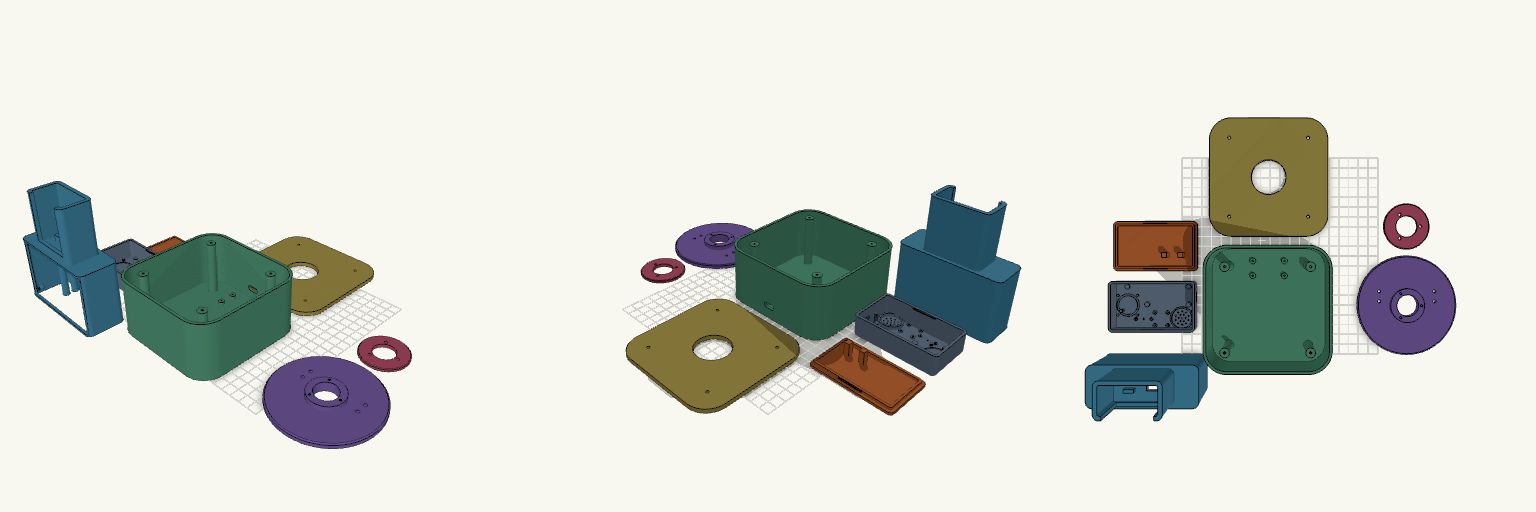
Modular Voice Assistant Enclosure with Rotating Desk Dock
A two-part enclosure system for a modular AI voice assistant: a pocket-sized "Brain" that works on its own, and a desktop station that docks it, swivels a full 360° and carries a 3.5-inch touchscreen behind a removable bezel. Both halves share the same matte-black design language — rounded corners, smooth surfaces and 2–2.5 mm walls — and print as eight separate pieces. What it's for Brain — houses an ESP32-S3 N16R8 board, an INMP441 I2S microphone, a MAX98357A amplifier and a 20 mm speaker behind a grille. A circular LED ring glows through a 0.8 mm front skin for listening, thinking and speaking states; there is no display of its own. A USB-C port sits on the short end, and the unit runs standalone once lifted off the dock. Desk station — a weighted base with a bolted lid carries a swivel plate and the dock tower. The Brain drops into the tower pocket from above with its face still visible, and a USB-C plug cradle in the pocket floor lines up with the port. Display — the tower front takes a standard 98 × 56 mm touchscreen module in landscape, held on four M2 bosses and framed by a bezel that drops into a recess in the front face. Removing four screws frees the display for replacement, and a flat-cable slot below the opening routes the ribbon into the cavity. Rotation — the swivel plate's hollow stem passes through the lid, a retaining ring screws on underneath, and the cable runs down the centre of the stem, so the tower turns 360° without twisting the lead. Dimensions Brain: 85 × 50 × 25 mm overall, with a snap-fit rear cover. Desk base: 120 × 120 mm with 22 mm corner radii; base, lid and swivel plate stack to 65 mm. Dock tower: 104 × 40 × 119 mm, docking the Brain vertically above the display section. It overhangs the 100 mm swivel plate slightly at the front and rear corners. Display opening: 84 × 54 mm, with mounting bosses behind the wall at ±46 × ±25 mm and M2 pilot holes; bezel 100 × 60 × 2.5 mm. Walls: 2–2.5 mm throughout hollow cavities. Print notes Print the Brain shell face-down for a smooth front skin; the LED ring, microphone port and speaker grille all sit in that face. The rear cover snaps on with two bump-and-groove pairs along the long sides; pads on its inside hold the ESP32 down. The tower's internal floor and the display window bridge wide spans, so expect a little support in the dock tower only. Everything else is oriented to print without it. Print the bezel flat; it is a thin frame and needs no supports. PLA or PETG both work; four rubber-foot recesses under the base are worth filling. All eight pieces — Brain shell, rear cover, desk base, base lid, swivel plate, retaining ring, dock tower and display bezel — are separate. The lid bolts on at four corners and the display bezel screws in from the front. Compatibility The display bosses use M2 pilot holes; check your module's hole spacing before driving screws, since pinouts vary between boards. The dock pocket is sized for the Brain as drawn — if you change the Brain's shell, adjust the pocket in step. Remix ideas Lean the dock back a few degrees for a more natural viewing angle if you can accept the extra support. Swap the removable bezel for a blank panel or a vent if your build has no screen. Scale the docking pocket to fit a different companion device while keeping the same swivel mechanism.
ReplixHD Gaming Desk Organizer
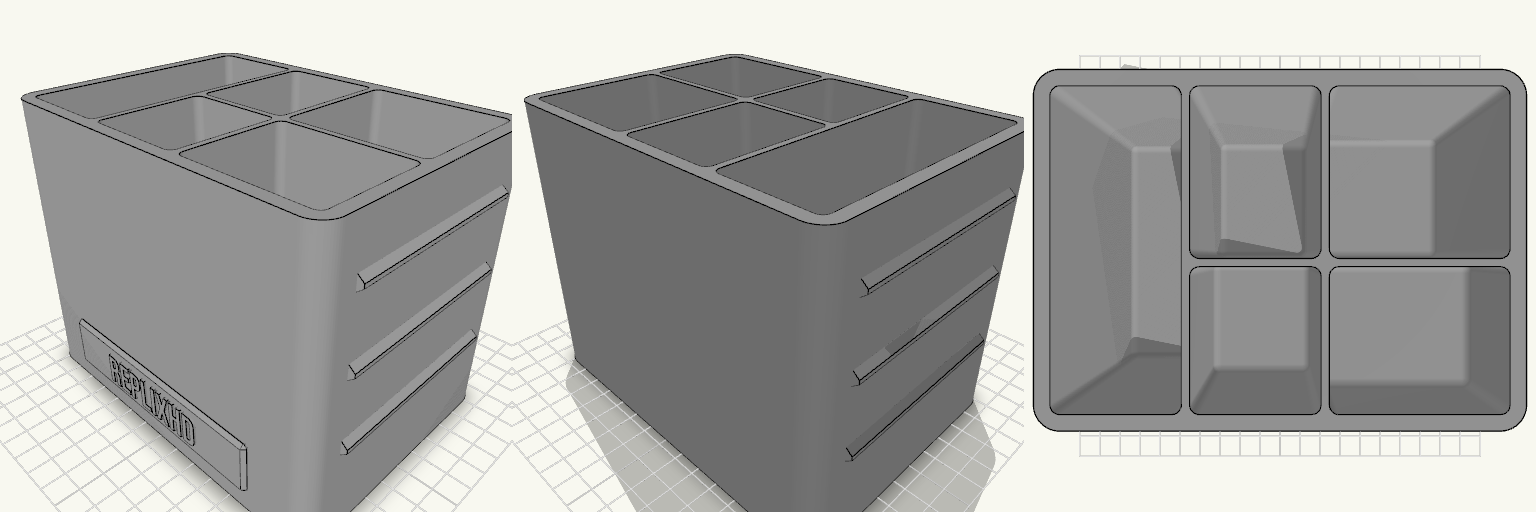
A five-pocket desk organizer for a 150 × 110 × 120 mm footprint, with "ReplixHD" embossed on a raised front plate. Fit Scissors slot: 40 × 100 mm, 105 mm deep. Pen slot: 40 × 52 mm, 100 mm deep. Pencil slot: 55 × 52 mm, 90 mm deep. Marker slot: 40 × 45 mm, 70 mm deep. Small slot for clips and erasers: 55 × 45 mm, 40 mm deep. Walls are 2.5 mm and dividers are 2.5 mm. The pockets' floors sit above the 3 mm base, which is thicker where the pockets are shallower. Check before printing Pen and pencil slots are about 40–55 mm across, so measure any oversized markers against that. Scissors need a handle under 40 mm wide. Print notes One solid body, with no supports needed. The side ridges are sloped at about 60° so they print cleanly. It does not fit anything that needs a closed lid or a drawer.
Vertical Switch Dock Stand with Strap Slots
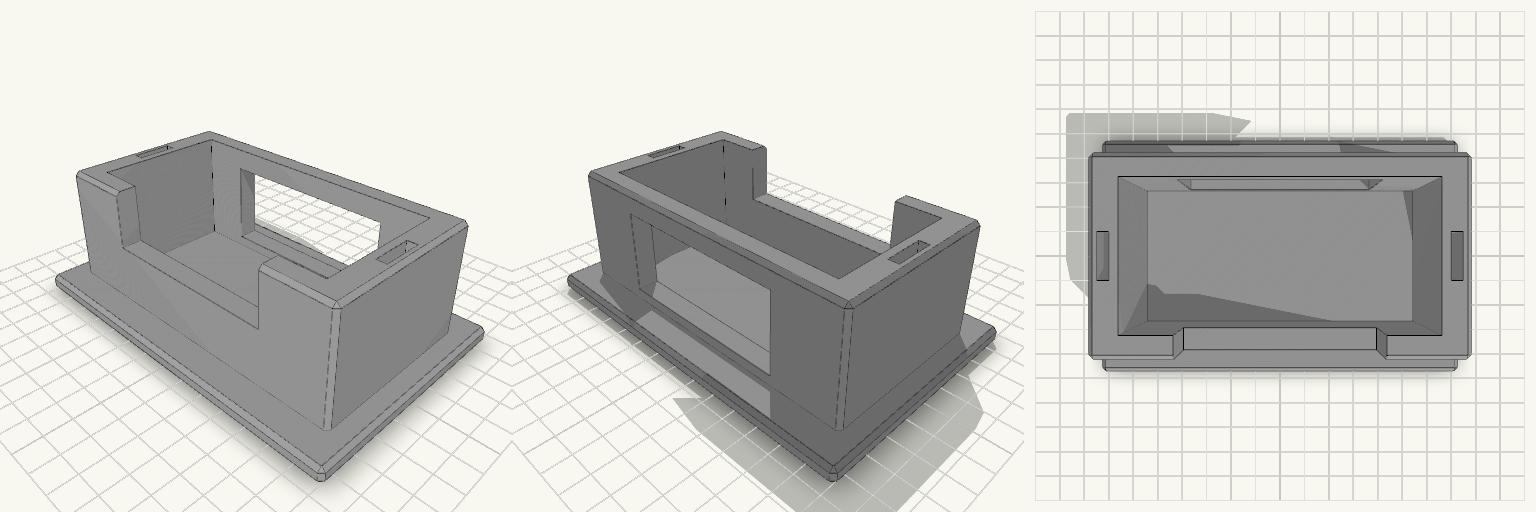
A Switch dock lying flat eats shelf space, and a dock stood on its end tips over the first time someone pulls a cable. This stand holds the dock upright in a snug pocket on a wide flat base, and keeps two spare Joy-Con straps in slots in the side walls. What it does Holds the dock on its end so it takes up a footprint of about 142 × 92 mm instead of its full 175 mm length lying down. Front wall is cut down in the middle, so you can grip the dock to lift it out. A 70 mm opening in the back wall lets the power, HDMI and USB cables leave without bending against the stand. Two 4 × 16 mm slots, one in each side wall, hold spare Joy-Con straps. Numbers that decide fit Pocket: 106 mm wide × 52 mm deep, for a dock of roughly 104 × 49 mm. That leaves about 1 mm of play on width and 3 mm on depth. Pocket depth: 44 mm, above a 6 mm base. Overall: 142 × 92 mm base, 50 mm tall. Side walls: 10 mm thick. Front and back walls: 8 mm. Printing Print flat on the base, with no supports needed. Chamfered edges, 1.5 mm. Any common filament works. PETG or PLA is fine for the load. If your dock is a tight fit or loose, adjust the pocket width and depth to match.
Pokéball Keyboard Wall Shelf
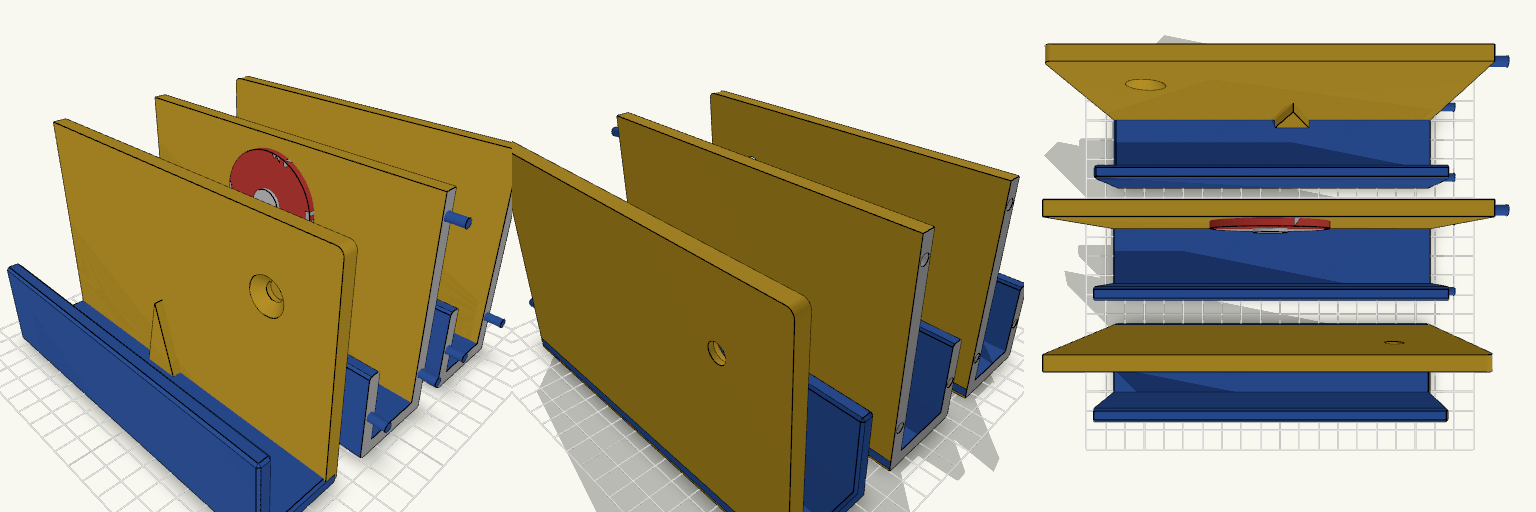
A Pokéball-badged wall shelf that cradles a full-size keyboard behind a tall front lip. Red-and-white emblem, yellow back panel, blue ledge: the Kanto starter-kit palette on a desk wall. The shelf prints as three 160 mm sections laid out together on the plate, ready to glue into one 480 mm piece. Three sections joined with 4 mm alignment pegs and sockets 40 mm front lip keeps the keyboard in place Two 8 mm countersunk screw holes at the ends for wall mounting Sections footprint about 168 x 40 mm each
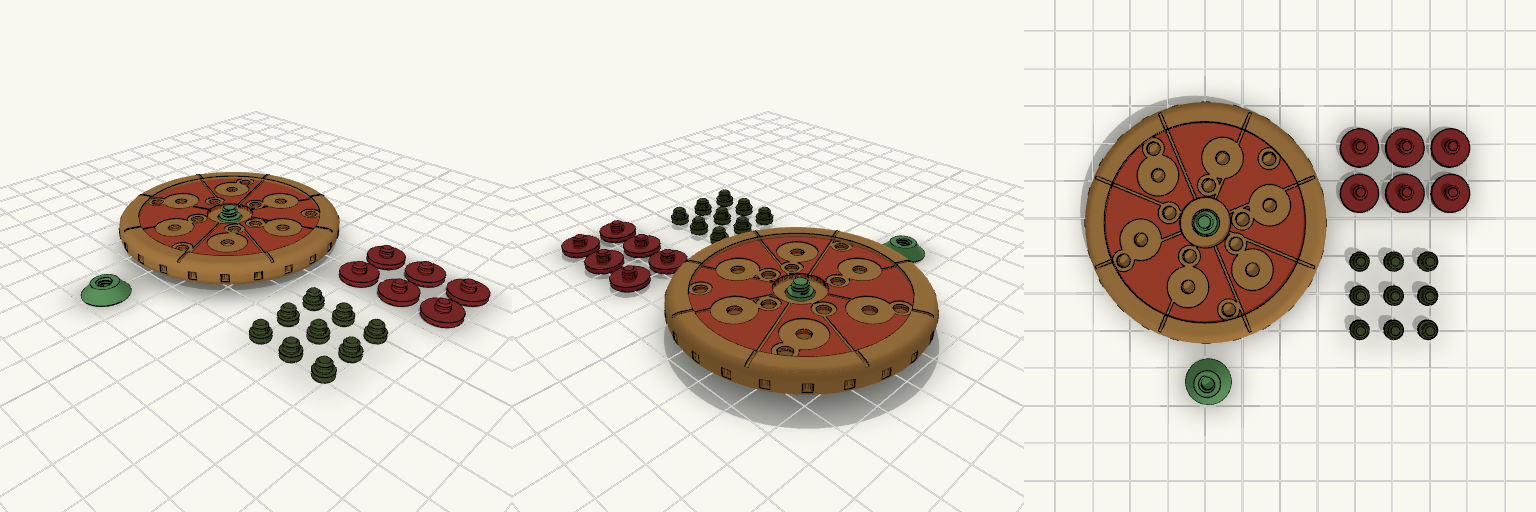
Pizza Spinner Fidget Print Set
What it's for A pizza-shaped fidget spinner that turns freely on a central hub. The pepperoni and olives are separate snap-on toppings, each with a split pin that clicks into a socket. Each topping also has a marked seat in the sauce, so the right position is easy to find. Dimensions Pizza: 62 mm diameter, bumpy crust, sauce with slice grooves Hub: protrudes on both sides, 0.5 mm clearance to the pizza 6 pepperoni: 10 mm, seat 10.6 mm 9 olives: 5 mm, seat 5.6 mm Pins: 3.4 mm split pins into 3.5 mm sockets Print notes Toppings print upside down, pin facing up, no supports needed. Olives are small; a standard 0.4 mm nozzle will soften the details. Pieces print in separate colours and can be mixed freely. Remix ideas Add mushrooms or peppers using the same pin and seat. Change the topping layout by moving the seat positions. Make the hub longer for a better grip.
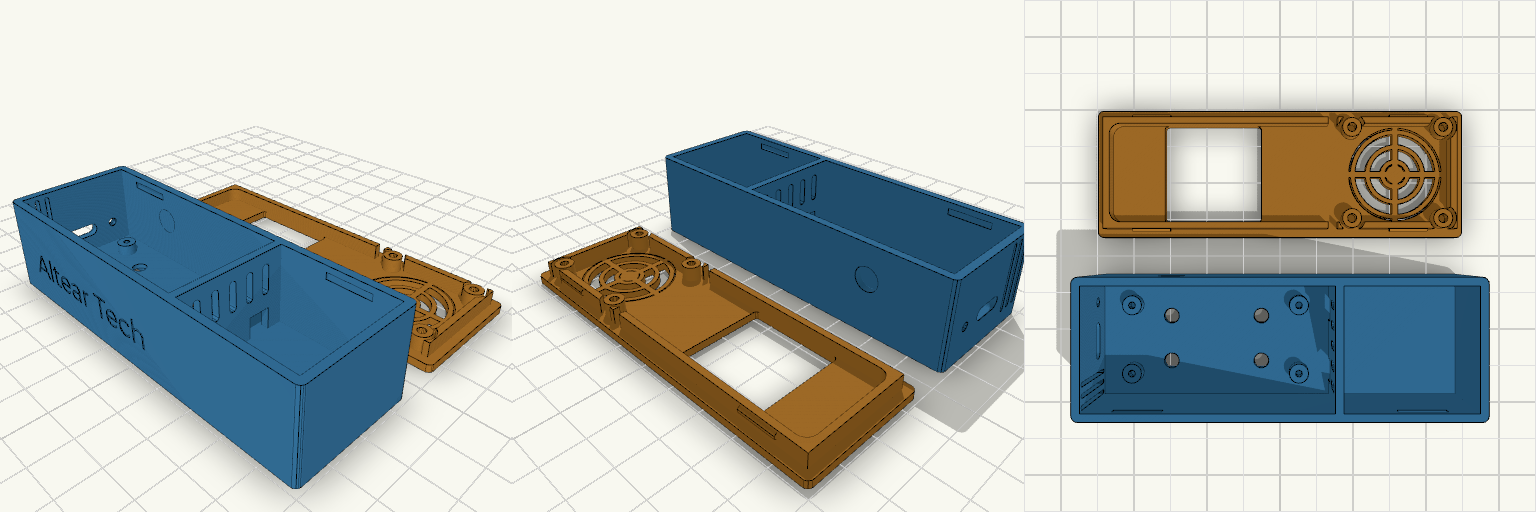
Case ESP32 + LoRa com Display e Cooler
Case compacto para ESP32 e módulo LoRa SX1278, com tampa de encaixe por pressão, janela para display TFT 1.44" e cooler na tampa. Ganchos para remix Altura interna (IH = 21 mm): altura total de 24 mm. Aumente se o LoRa ficar justo. Furação do cooler: quadrado de 24 mm com pinos de 5 mm e furo de 2,4 mm. Ajuste para outro tamanho de cooler. Janela do display: 26 × 26 mm na tampa. Combina com um suporte interno para o módulo. LoRa: sem canaletas internas. Dá para adicionar suportes na medida da sua placa. Ranhuras inferiores: duas ranhuras de 4 mm para cabos entre as placas.